
What Happens to Your E-Wallet If You Lose Your Phone? GCash & Maya Safety Guide
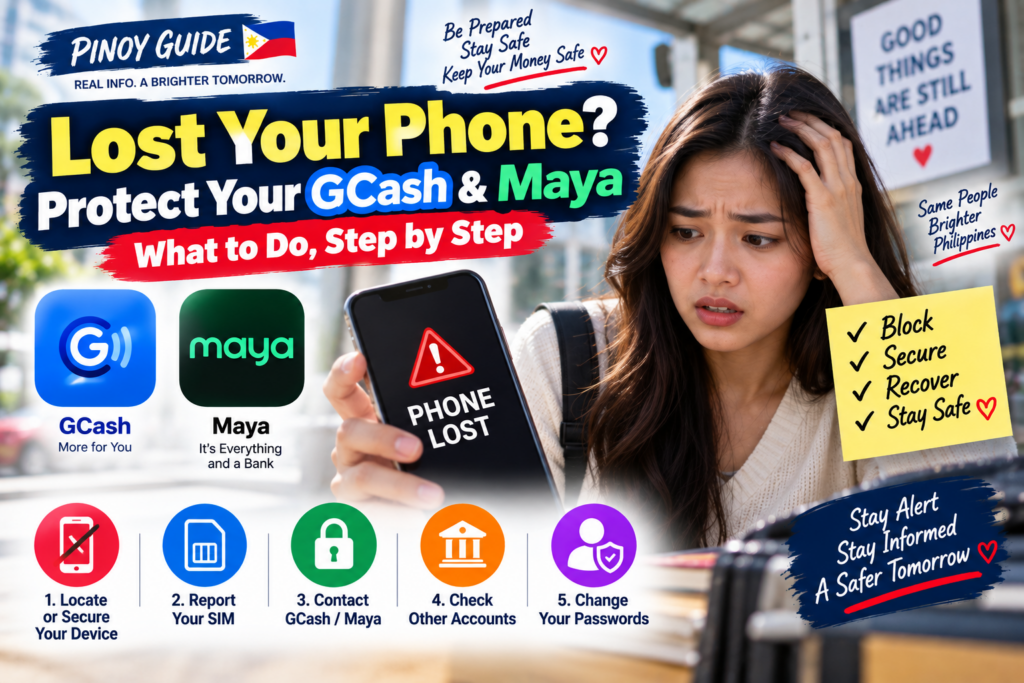
Losing your smartphone is stressful enough. Pero mas nakaka-panic kapag naalala mong nandito rin ang GCash, Maya, online banking, OTPs, email at personal information mo.
The good news is this:
Losing your phone does not automatically mean losing all the money in your e-wallet.
But you need to act quickly.
If someone gets access to your unlocked phone, SIM, PIN, password or OTP, your financial accounts may be at risk. Both GCash and Maya provide procedures for lost or stolen phones and SIMs.
Here’s what you should do.
What to Do Immediately After Losing Your Phone
Huwag hintaying mahanap ang phone bago mag-report. Unahin ang pagprotekta sa SIM at financial accounts. Kung may mapagkakatiwalaang kasama, maaari ninyong hatiin ang pagtawag sa providers at pag-secure sa device.
| Protektahan | Gagawin agad | Paraan o mahalagang detalye |
|---|---|---|
| E-wallet blocking | Report immediately; do not wait to find the phone. | GCash: app login → Help Center → Lost SIM/Phone → Chat with Gigi. Maya: emergency hotline +632 8845 7788, including after hours. |
| Lost SIM | Ask the network to bar the lost SIM and explain same-number replacement requirements. | Use your telco’s official support or store; SIM replacement and wallet unblocking are separate requests. |
| Device protection | Use the built-in remote-security tools if already configured. | Do this alongside account reporting; avoid spending all your time tracking the device while accounts remain exposed. |
| Banks and email | Contact linked banks about exposed accounts/cards; secure your main email and other affected accounts. | Use a trusted device and official support channels. Keep case reference numbers and confirmation messages. |
Ang wallet-blocking steps ay mula sa GCash lost-phone guide at Maya emergency-support page. Hindi kapalit ng wallet report ang pag-block lang ng SIM.
If You Use GCash
GCash specifically tells users to report a lost phone or SIM immediately.
You can use a spare phone or a trusted person’s device.
From the GCash app login screen:
Help Center → Lost SIM/Phone → Chat with Gigi
Then follow the verification process.
GCash notes that this lost-phone procedure should be performed through the GCash app rather than a web browser.
According to GCash’s published lost-phone guide, the account will be blocked within 4 hours, with an email update once done. This is its stated processing window after reporting; do not wait four hours before reporting to your telco or other affected financial providers.
Will Your GCash Money Disappear?
Not simply because the physical phone is gone.
After securing the account, your next step depends on whether you want to keep your old mobile number.
If You Keep the Same Number
Contact your mobile network and request a replacement SIM with the same number.
After recovering your number and getting a new phone, you can follow GCash’s account recovery/unblocking procedure.
If You Use a New Number
GCash instructs users to register a new GCash account using the new mobile number and then request assistance for transferring funds from the old account.
GCash says a reply to the recovery request will be sent within 48 hours after a ticket is created. This refers to a support reply, not a promise that funds will be transferred or an unauthorized transaction refunded within that time.
What About GCash Account Secure?
GCash has an Account Secure feature that allows an account to be registered to only one phone at a time.
Normally, when changing phones voluntarily, you unregister the old phone and register the new one.
But if the old phone is lost, don’t rely on the normal device-switch process. Follow GCash’s dedicated Lost SIM/Phone procedure instead.
If You Use Maya
Maya also instructs account holders to report a lost or stolen phone or SIM immediately through its customer-support channels.
Under Maya’s terms, the account may be blocked after security verification and submission of applicable documentation.
Maya’s official contact page provides:
Maya app: Profile → Get Help
Hotline: +632 8845 7788
Domestic toll-free: 1800 1084 57788
Smart: *788
Maya says its hotline normally operates daily from 8 AM to 7 PM, but emergency assistance for situations such as a lost/stolen phone or suspected unauthorized transactions is available after hours.
Can You Recover Your Maya Balance?
Maya’s current terms state that when an account is retrieved or reactivated, the remaining balance becomes available again.
If a new account is created, the remaining balance from the old Maya account may be transferred to the new account upon request, subject to Maya’s procedures and verification.
Maya also has an Account Management Form that includes requests involving:
Lost Phone/SIM
Stolen Phone/SIM
Change Maya-Registered Mobile Number
Reactivate Account
This is why you shouldn’t panic and immediately create multiple accounts without first following Maya’s recovery instructions.
Your SIM Is Just as Important as Your Phone
This is something many users overlook.
Even if your phone has a PIN or biometric lock, your SIM is connected to your mobile number and may be used for OTP-based services.
If the SIM was inside the lost phone, contact your network provider quickly.
For example, Smart says a registered owner can request a replacement for a lost SIM while retaining the same mobile number, subject to verification requirements.
Globe likewise provides lost-SIM replacement procedures and advises customers to deactivate the lost number first to protect linked accounts.
Keeping the same number can make recovery of linked financial services easier.
What If Someone Already Made a Transaction?
Report an unrecognized transaction immediately through the provider’s official dispute channel, even if you have not recovered the phone. Save the transaction date, amount, reference number, notification and the time you reported the loss. Ask for a case number and a written outcome or next-step instructions.
Maya’s lost-account terms, section 18.11, assign responsibility for transactions made before the loss report and require verification for blocking or reactivation. Report any transaction you dispute and request a formal review. Account recovery and reimbursement of disputed transactions are different processes; neither a report nor reactivation guarantees reimbursement.
If the Provider Does Not Resolve Your Complaint
Complain to GCash, Maya or the relevant bank first. If its response does not resolve your concern, use BSP Online Buddy (BOB) to escalate through the BSP Consumer Assistance Mechanism. Keep proof of your earlier provider complaint and its response.
If BOB is unavailable, follow the official BSP-CAM instructions for the CIR form and supporting documents. BSP says PINs, passwords, account/card numbers and ID copies are not required for this complaint process. Do not include them in BSP-CAM attachments.
BSP-CAM is a complaint escalation route, not an emergency account-blocking service or an automatic refund. Contact your financial provider immediately for account protection.
Don’t Trust Someone Who Calls Asking for Your OTP
After losing a phone, you may be more vulnerable to social-engineering scams.
Someone could contact you pretending to be:
GCash
Maya
your bank
your mobile network
and claim they need your OTP to “recover” or “secure” the account.
Do not give it to them.
Maya explicitly states that users should never share passwords, OTPs, card numbers or CVVs, including with someone claiming to represent Maya.
The same basic rule should be applied to every financial account:
OTP = keep it private.
Prepare Before You Lose Your Phone
The best time to prepare isn’t after the phone disappears.
Do it now.
Use a strong screen lock and enable biometric authentication where available.
Make sure your important accounts use different, strong passwords.
Keep access to the email account connected to your financial services secure.
Maya also provides an Account Recovery email verification feature for upgraded accounts through:
Profile → Settings → Account Recovery.
And keep important information such as your mobile number and legitimate customer-support channels somewhere you can access without your main phone.
Don’t store PINs, passwords or OTPs in an unsecured note on the same device.
GCash vs Maya: Lost Phone Quick Guide
| Situation | GCash | Maya |
|---|---|---|
| Lost phone/SIM | Report immediately | Report immediately |
| Account protection | Request blocking through Lost SIM/Phone process | Blocking after verification/documentation as applicable |
| Keep old number | Replace SIM through telco | Recover number/account and follow Maya instructions |
| New number | New GCash account + request fund transfer | Mobile-number/account management process available |
| Support | GCash app / Help Center | Maya Help Center / hotline |
| Funds automatically lost? | No | No |
The important point isn’t which service is “safer.”
Both have security and recovery procedures.
Your response speed matters.
Frequently Asked Questions
Mawawala ba ang GCash money kapag nawala ang phone?
Not automatically. GCash provides procedures to block the account, recover access and, where applicable, transfer funds to an account associated with a new number.
What happens to Maya if my phone is stolen?
Report it immediately to Maya. Maya can block the account after its security-verification process and applicable documentation. Account recovery/reactivation procedures are available.
Should I get a new SIM number immediately?
If possible, first ask your telecom provider whether you can replace the lost SIM while keeping your existing number. Smart and Globe both provide replacement processes for eligible lost SIMs.
Should I create another GCash or Maya account immediately?
Not necessarily. Secure the old account first and follow the provider’s recovery instructions. If a new number/account is required, follow the official transfer procedure rather than improvising.
What is the most important thing to do?
Act quickly.
Report to your e-wallet provider and telco immediately, secure linked accounts, and use the device’s remote-security tools alongside those reports when available.
Final Takeaway
Losing your smartphone doesn’t automatically mean losing your e-wallet balance.
The bigger danger is leaving the lost phone, SIM and financial accounts unsecured for too long.
Protect the SIM and financial accounts while securing the device. Keep the provider’s blocking confirmation and case reference, then follow its account-recovery instructions.
Report the incident immediately, recover or replace your SIM through your telecom provider, and use only official GCash and Maya support channels.
And one final rule:
Never give your OTP, MPIN, password or card security details to someone offering to “help” recover your money.
Kung nakatanggap ka rin ng kahina-hinalang parcel text, tingnan ang aming fake delivery-text safety guide para sa pag-verify ng mensahe nang hindi ginagamit ang link nito.
Lost-phone reporting, provider response windows and BSP escalation checked: October 24, 2026.
Information checked: September 18, 2026.
PINOY GUIDE is an independent informational website and is not affiliated with GCash, Maya, Globe, Smart or their related companies. Account recovery procedures and requirements may change. Always confirm current instructions through the provider’s official website, app or customer-support channel.
Official Sources
GCash Help Center — Lost or Stolen SIM, Phone or Device
GCash Lost SIM/Phone Guide
GCash Help Center — Account Secure
GCash Account Secure Guide
Maya — Contact and Emergency Support
Maya Contact Us
Maya — Terms and Conditions
Maya Terms and Conditions
Globe — SIM Replacement
Globe SIM Replacement Guide
Smart — Lost SIM Replacement
Smart SIM Replacement Guide
BSP — Consumer Assistance Channels
BSP Online Buddy and complaint escalation





Comments 0
Be the first to comment..