
Fake Delivery Text Philippines: “Incomplete Address” o Redelivery Fee—Scam ba Ito?
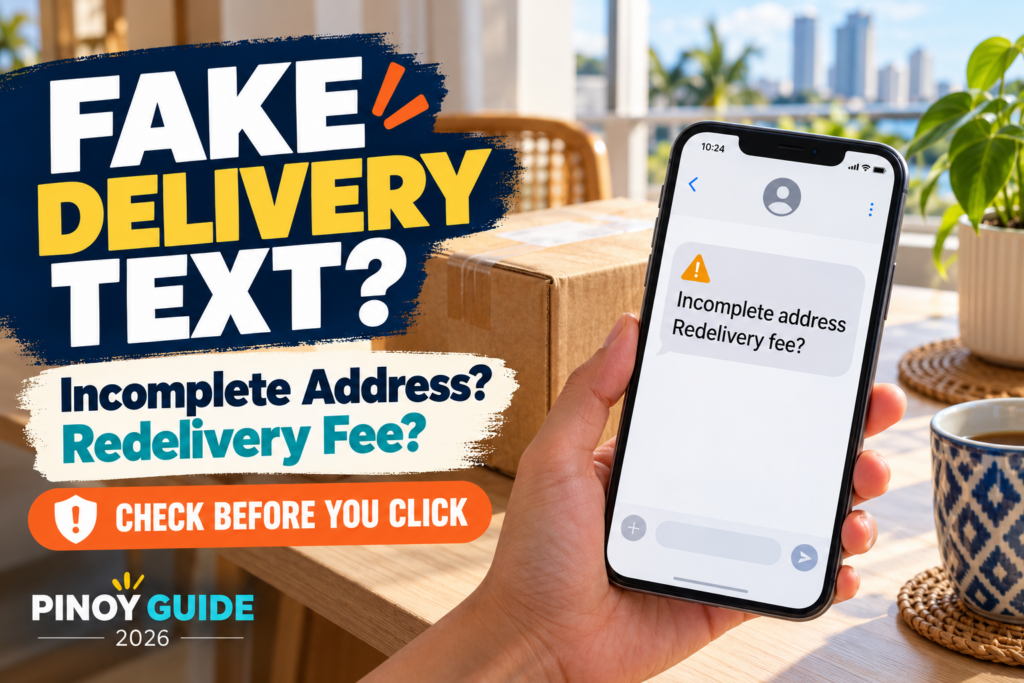
May text ka bang nagsasabing hindi ma-deliver ang parcel dahil kulang ang address? O kailangan mong magbayad ng maliit na redelivery fee gamit ang isang link?
Huwag munang mag-click o magbayad. PHLPost has warned about fake delivery texts that use these excuses to steal personal and financial information.
1. How Does the Scam Work?
The message pretends to come from a delivery service. It claims that your parcel needs an address correction or an immediate payment.
The link may lead to a page asking for card details, passwords, or an OTP.
PHLPost’s September 9, 2026 advisory states that these fraudulent messages do not come from the postal service. It does not request sensitive banking information or OTPs through text messages.
Kahit may inaasahan kang parcel, hindi iyon sapat na patunay na tunay ang text.
2. Warning Signs to Check
| What you notice | What to do |
|---|---|
| May link para “ayusin” ang address | Verify through the official app or website |
| May maliit na fee na kailangang bayaran agad | Confirm the charge independently |
| Hinihingi ang card details, password, o OTP | Stop entering information |
| May logo o mukhang professional ang page | Do not treat appearance as proof |
PHLPost advises recipients to avoid suspicious links and payments through unverified websites.
Hindi lahat ng delivery notification ay scam. Ang mahalaga ay i-verify ang mensahe nang hindi ginagamit ang link nito.
3. How to Check Your Actual Parcel
- Open your shopping app directly.
- Check the order and assigned courier.
- Use the tracking number from your order confirmation.
- Visit the courier’s official tracking service independently.
For PHLPost shipments, use tracking.phlpost.gov.ph.
Some international parcels may legitimately involve customs duties, taxes, or other fees. However, a payment demand in an unexpected text still needs independent verification.
4. What If You Already Clicked?
Your next step depends on what you did.
If you only opened the page: Close it. Do not download files, install an app, or grant permissions requested by the suspicious page. Keep your device and security software updated.
If you entered a password: Change it through the real service’s app or website. Change other accounts using that same password as well.
If you installed an app or APK from the message: As a precaution, use another trusted device to contact your bank or e-wallet provider about possible exposure. On Android, follow Google’s Play Protect instructions to check for harmful apps and follow removal warnings. Keep Play Protect enabled; do not disable it because the suspicious page tells you to. Device cleanup does not replace reporting exposed financial accounts.
If you entered card details or an OTP:
- Lock the card through your bank’s official app, if available.
- Contact the issuing bank immediately using its official contact details.
- Explain what information you disclosed.
- Ask about blocking or replacing the card and disputing unauthorized transactions.
BDO’s security guidance recommends locking compromised cards and contacting the bank promptly. BSP also advises immediately reporting phishing incidents and suspicious transactions to the financial institution.
Huwag hintaying may malaking charge bago mag-report. Keep screenshots and request a case reference number. Reporting does not guarantee reimbursement.
5. Where Can You Report It?
For PHLPost-related suspicious messages:
- Customer service: (02) 8288-7678
- Email: phlpostcares@phlpost.gov.ph
Save the message before blocking the sender.
Installed-app response and PHLPost/1326 reporting routes checked: October 24, 2026.
Online scams may also be reported through the government’s 1326 anti-scam hotline. If financial information was exposed, contact your bank immediately as well.
Final Reminder
Check the parcel through the official channel—not through the unexpected text.
A small payment request can put more than the advertised fee at risk. Pause, verify, and protect your information.
If your phone or SIM is also missing, follow the separate lost-phone GCash and Maya safety guide to review account-protection and SIM-replacement steps.
Official Sources
Information checked: October 20, 2026.




Comments 0
Be the first to comment..