
Korea SIM Card vs eSIM vs Pocket WiFi in 2026: Which Is Best for Tourists?
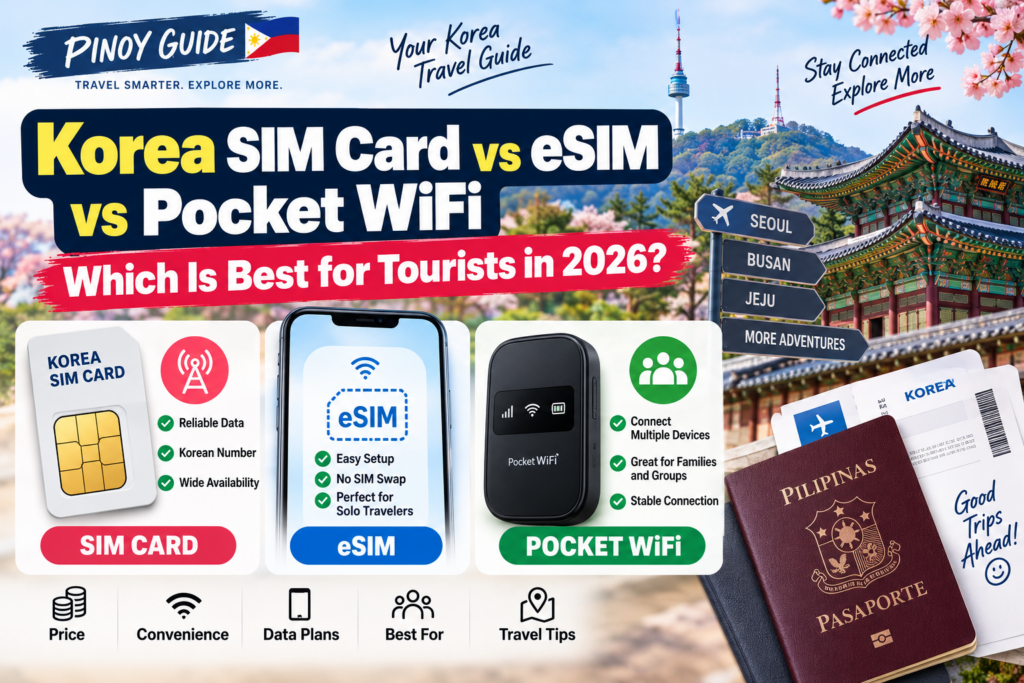
Planning a trip to South Korea?
Isa sa mga importanteng bagay na dapat ihanda bago bumiyahe ay ang internet connection.
Kailangan mo ng data para sa Naver Map, Google Maps, Papago, KakaoTalk, subway routes, hotel reservations, restaurant searches at iba pang travel apps.
For tourists, there are three popular choices:
Korea SIM Card, eSIM, and Pocket WiFi.
Pero alin ang pinaka-sulit at convenient?
The answer depends on your phone, number of travelers, and how you plan to use the internet in Korea.
Quick Answer
Kung gusto mo ng mabilis na recommendation:
eSIM — best for most solo travelers with compatible phones.
Physical SIM — good if your phone doesn’t support eSIM or you want a Korean phone number.
Pocket WiFi — practical for families or groups sharing one internet connection.
Hindi kailangang piliin kung alin ang “best” overall. Piliin kung alin ang best for your trip.
1. Korea Physical SIM Card
A physical SIM works like your regular Philippine SIM. You insert it into your phone and connect directly to a Korean mobile network.
Tourist SIM cards are available from major Korean carriers and can be purchased or picked up at locations including major airports.
Advantages
- Reliable mobile data
- No separate device to charge
- Works with phones without eSIM
- Some plans provide a Korean phone number
- Good for longer stays
Disadvantages
- You may need to remove your Philippine SIM
- Your phone must be unlocked
- Small original SIM can be misplaced
A physical SIM is a good option if your phone doesn’t support eSIM or you need Korean call/SMS features.
2. Korea eSIM
An eSIM works digitally, so there’s no physical card to insert.
You normally purchase a plan online and install it using the provider’s instructions or QR code.
The biggest advantage?
You can prepare it before arriving in Korea.
Advantages
- No SIM swapping
- Can be purchased before your trip
- No separate device to carry or charge
- Your Philippine SIM can usually remain installed on compatible dual-SIM phones
- Very convenient for solo travelers
Disadvantages
- Not every phone supports eSIM
- Some plans are data-only
- Incorrect phone settings can prevent the connection from working
Before buying, check your exact phone model and eSIM compatibility.
For most solo travelers using a recent compatible smartphone, eSIM is probably the easiest choice.
3. Pocket WiFi
Pocket WiFi is a small portable router that connects to Korea’s mobile network and shares the connection with several devices.
This can be useful for families or groups.
Advantages
- Multiple devices can connect
- Good for families and groups
- Works even if your phone doesn’t support eSIM
- Useful for phones, tablets and laptops
Disadvantages
- Another device to carry
- Needs charging
- Rental units usually need to be returned
- Group members lose the connection if they separate from the person carrying the router
Pocket WiFi makes the most sense when several people are traveling together most of the time.
Korea SIM vs eSIM vs Pocket WiFi
| Feature | SIM Card | eSIM | Pocket WiFi |
|---|---|---|---|
| Easy setup | Good | Excellent | Good |
| Physical SIM swap | Yes | No | No |
| Compatible phone required | Unlocked phone | eSIM phone | WiFi device |
| Keep Philippine SIM | Depends | Usually yes | Yes |
| Multiple devices | If plan and device allow hotspot | If plan and device allow hotspot | Excellent |
| Korean number | Some plans | Some plans | Usually no |
| Extra battery | No | No | Yes |
| Return required | No | No | Usually yes |
| Solo traveler | Very good | Best | Fair |
| Family/group | Fair | Fair | Best |
Which One Is Cheapest?
There’s no single answer.
Prices change depending on:
- number of travel days
- provider
- data allowance
- voice/SMS inclusion
- promotions
- number of travelers
For a solo traveler, an eSIM or SIM may be more practical.
For a family of four, sharing one Pocket WiFi could be more economical than buying four separate plans.
So instead of comparing only the daily price, calculate the total cost for your entire group and trip.
Do You Need a Korean Phone Number?
Not every tourist needs one.
If you mainly use:
Naver Map, KakaoTalk, Messenger, social media, translation apps and web browsing,
a data plan may be enough.
But if you expect to make local calls, contact hotels or businesses, check whether your SIM/eSIM plan includes:
Korean phone number, incoming calls, outgoing calls and SMS.
Some tourist plans provide a Korean 010 number, while others are data-only.
A Korean number does not automatically provide Korean personal identity verification. KT states that its tourist eSIM does not support personal authentication. Receiving ordinary calls or texts is different from completing a service’s identity check. If you need a particular booking, banking or sign-up service, confirm its requirements and the exact plan’s support before buying.
Should You Buy at Incheon Airport?
You can buy or pick up tourist telecom products at major Korean airports, including Incheon.
Airport pickup is useful if:
- you want a physical SIM
- you need help with installation
- you’re not confident setting it up yourself
For eSIM, buying online before departure is usually more convenient because you can prepare everything in advance.
Check These Before Buying
Use these questions on the exact product page or ask the operator before payment:
- Phone compatibility: Is your exact model eSIM-capable and carrier-unlocked? Do not rely only on the phone-series name.
- Number and verification: Are incoming/outgoing calls and SMS included? What passport or entry verification is required? Does the service you need accept this tourist plan?
- Start and expiry: Does validity begin at installation, activation, first network connection or another stated event? Confirm the start rule before setting it up early.
- Data and hotspot: What high-speed allowance, speed after that allowance, fair-use policy and tethering limit apply? Do not assume “unlimited” answers all four questions.
- Group use: How many devices can connect, and will everyone stay near the router? Compare total plans for all travelers, not just a displayed daily price.
- Pickup and return: For a rental router, check counter hours, return deadline, late/loss charges and any refundable deposit separately from the rental cost.
These are comparison checks, not one set of terms shared by every provider. VISITKOREA directs travelers to the operators for product fees, counter locations and details. Confirm those details for your dates before paying.
Personal-authentication distinction checked and purchase checklist revised: October 24, 2026.
What About Free WiFi in Korea?
South Korea has extensive public WiFi, particularly at airports, subway stations, train stations, hotels, cafés and major public areas.
But I wouldn’t rely on free WiFi alone.
You may need internet exactly when you’re:
looking for your hotel, checking a subway route, translating something, or trying to find a restaurant.
Personal mobile data gives you much more freedom.
Which Should You Choose?
Solo traveler
eSIM
Best combination of convenience and simplicity if your phone supports it.
Phone without eSIM
Physical SIM
Simple and reliable.
Family or group
Pocket WiFi
Good when everyone stays together.
Need a Korean phone number
SIM or compatible eSIM plan
Check voice/SMS features before buying.
Multiple phones, tablets and laptop
Pocket WiFi
One connection can serve several devices.
Frequently Asked Questions
Is eSIM better than a SIM card in Korea?
For many solo tourists, yes. It’s convenient because you don’t need to replace your physical SIM. But your phone must support eSIM.
Can tourists buy SIM cards at Incheon Airport?
Yes. Major Korean telecom providers operate tourist services and pickup counters at Incheon Airport.
Can a Korea eSIM have a Korean number?
Some plans do, while others are data-only. Always check the plan details.
Is Pocket WiFi good for families?
Yes, especially when several people need internet and stay together during the trip.
Can I buy an eSIM before traveling to Korea?
Yes. Tourist eSIMs can generally be purchased before arrival, depending on the provider.
Final Verdict
For most solo travelers, I recommend starting your comparison with an eSIM. It’s easy to prepare before the trip and doesn’t require carrying another device.
If your phone doesn’t support eSIM or you prefer a traditional setup, choose a physical SIM.
For families or groups, Pocket WiFi can be a practical option—especially when everyone travels together.
The best choice isn’t necessarily the cheapest product.
It’s the one that gives you reliable internet without making your Korea trip more complicated.
Information checked: September 6, 2026.
PINOY GUIDE is an independent informational website and is not affiliated with KT, SK Telecom, LG U+, the Korea Tourism Organization, or any telecom provider. Prices, plans, device compatibility and promotions may change. Check the latest information with the provider before purchasing.
Official Sources






Comments 0
Be the first to comment..